
Features

Globe View
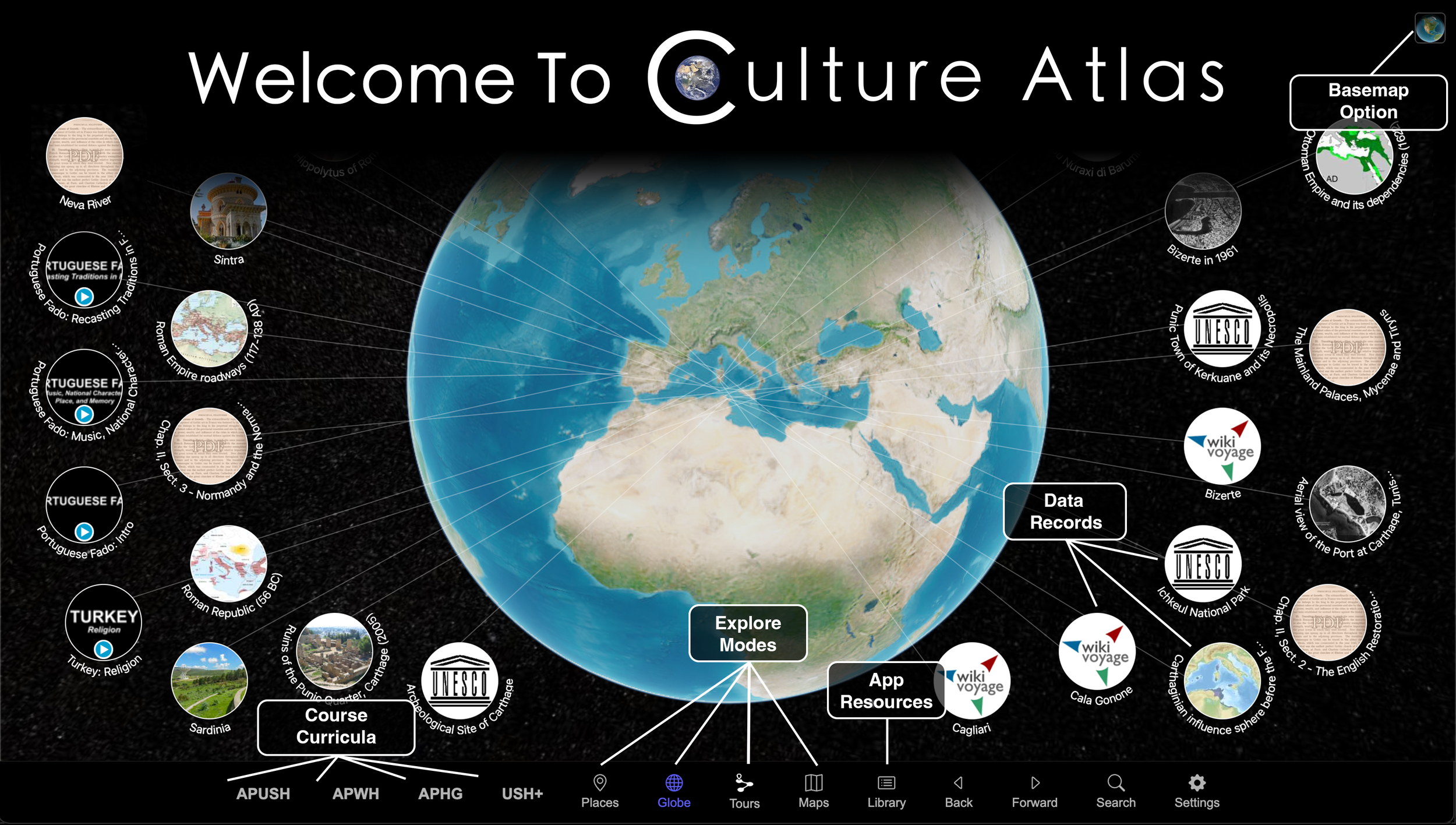
The above image explains our interface, but it also shows one of our four explore modes: Globe View. There are many ways to find, filter, and view information in Culture Atlas. To start, find the bottom navigation bar, which displays a set of icons including the four views of our virtual planet.
While our three other planetary views (Map, Tours, and Places) feature more focused approaches, Globe View provides access to a wide range of geo-tagged resources, including videos, images, articles, websites, and more.

Map View
Culture Atlas includes more than 8,000 coordinated maps, 2D historical geopolitical map files that have been converted into 3D objects that are geo-tagged to their appropriate position on our virtual globe.

Tour View
A Tour is an interactive visual narrative that guides users across our virtual globe through images, videos, text, audio, maps, mini-lectures, and web resources. In building our three AP courses and the US History Survey, we have created over 400 Tours covering all AP unit topics, as well as AP-aligned Deep Dives.
Place View
Place view, the newest of our planetary views, provides access to five types of exploratory portals (historical sites, natural sites, battlefields, buildings/structures, and science-related sites). Unlike the other three planetary views, our Places appear as pins on the planet’s surface rather than floating icons. Our Places provide access to related digital resources (images, websites, videos, etc.). Over the next year we will be adding several hundred new Places.

Library
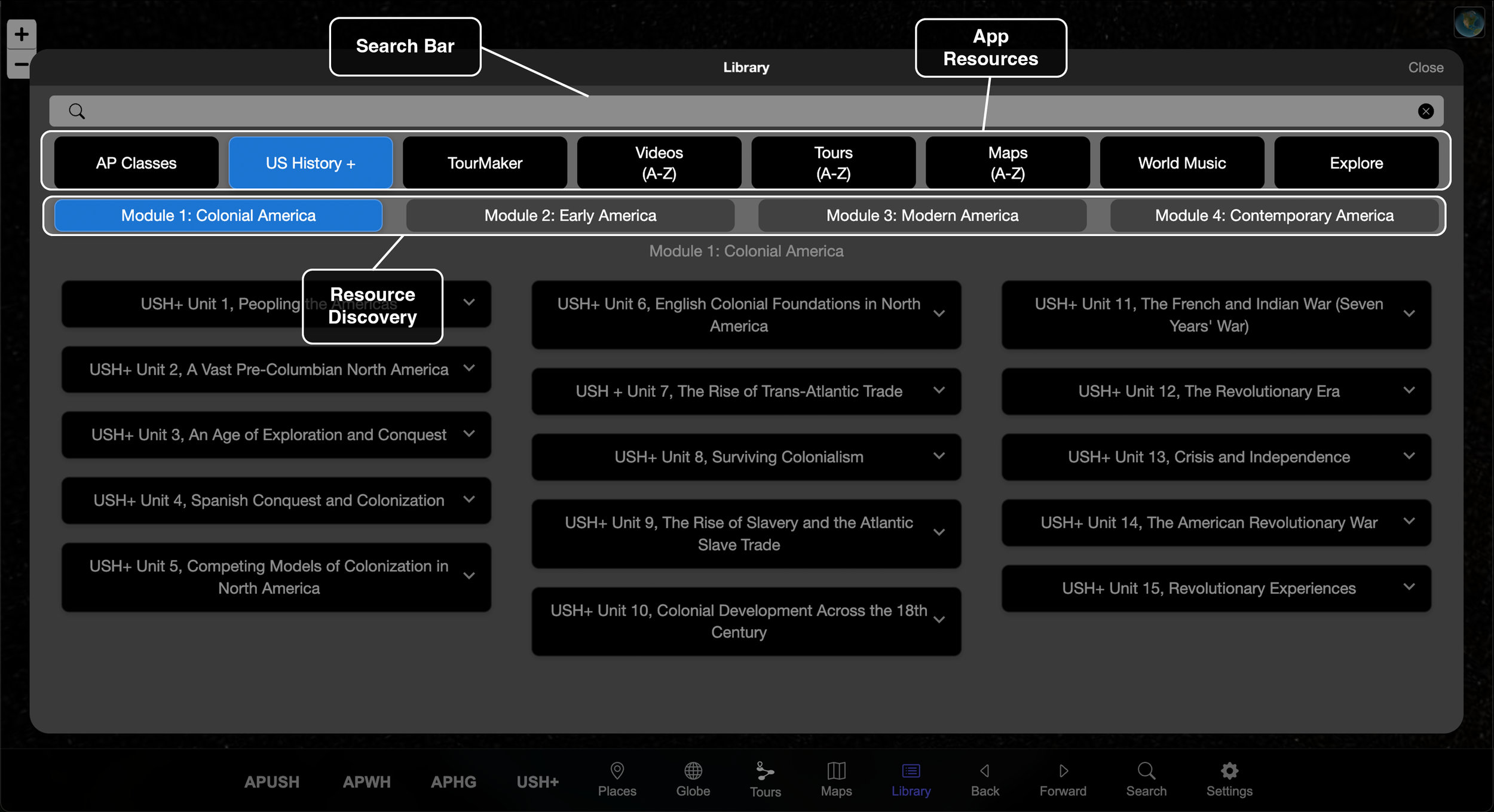
The Library, represented by the list icon in the bottom NavBar, is where you can access all of the videos, maps, and other interactive features that bring the Culture Atlas to life.
The Library is organized into a complex of hierarchical bins that connect you with our current curricula and a diverse collection of digital resources.
TourMaker
TourMaker enables teachers, students, and other users to create their own Tours for academic and other settings by assembling pictures, videos, audio, and text related to their subject of study into geolocated narrative.
Worksheets
Culture Atlas offers worksheets for students, structured to conform to the variety of questions on the AP and US History Survey final exams for each course, with worksheet keys available to teachers.
Sample AP US History Worksheets
Spanish Language Resources
Culture Atlas offers EN-ES automatic translations across our textual offerings, as well as Spanish translation of mini-lecture videos for all AP topic tours.